Search By Model Number
There are several ways to locate your parts by using a model number. The most accurate is with an Exact Model Match. If you cannot locate the complete model number for your appliance, you can use the
Multi Model Search.
Exact Model Match
Having an exact model match is the most accurate way of finding the correct part for your appliance. It is the first, most important, step. Without having the correct model number, you may have
difficulty in locating the part made specifically for your appliance.
For your convenience, we have provided a list of appliances and their diagrams to help you find your
model number.
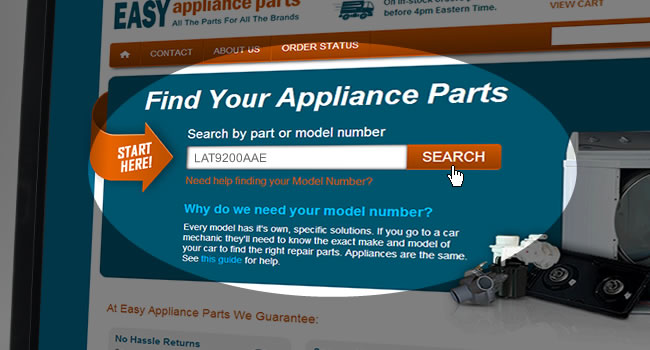
Once you have found your model number, enter it into the text box to search for your model, as seen in the example below.
You will then be taken to a list of diagrams for your model, and you will be presented with a diagram for each section of your appliance.
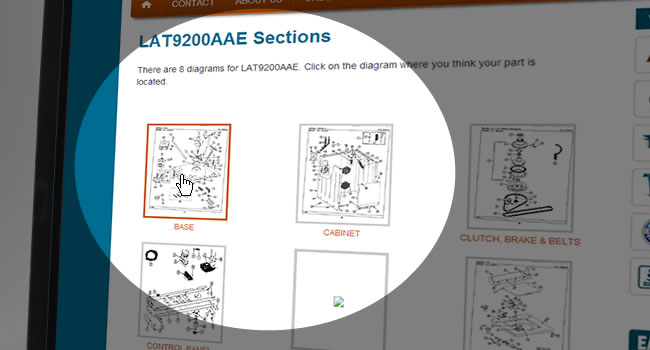
For example, model number LAT9200AAE is a Maytag washing machine. When a search is conducted for this appliance, the diagrams available are of the control panel, door, pump & motor, rinse aid & soap
dispenser, track and rack assembly, tub and wiring information, as seen in the example below.
If you did not get an exact model match your screen will look quite different. For help searching across more than one model, see our
multi-model search help section.
You are now ready to browse the sections.
Browse Sections
You may choose any diagram section where you think your part may be located. This section of parts will then fill the top half of your screen and the bottom half will be the complete parts list
for this particular section. Using the scroll bar on the right hand side of the screen you can scroll up or down through the diagrams and parts. Each part in the diagram is numbered.
These item numbers are referenced below in the list of parts.
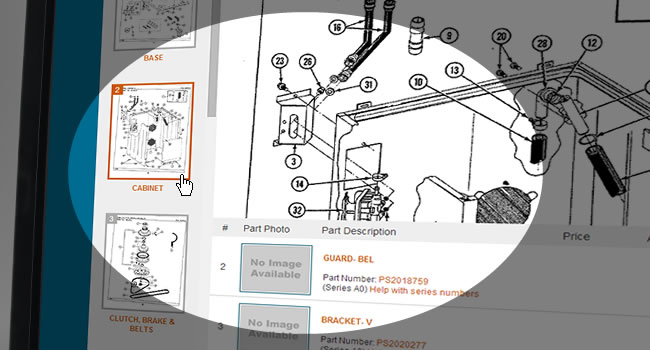
The section you are currently viewing will be highlighted on the left hand side of your screen. If the current diagram you are investigating does not contain the part you are looking for
you can quickly and easily view another diagram section of the same model by choosing a different section. The new diagram and parts list will then be displayed on your screen.
Search By Description
Searching for part by a description will help you save time. A search box is located at the bottom, left of your screen where you can type a “one word” description. You will get results
showing you each part in your model number that contains that word.
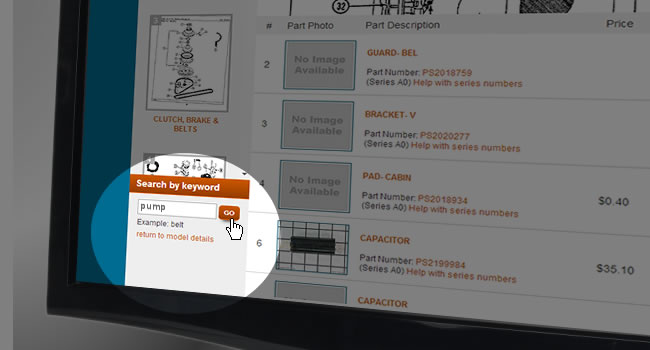
Each part matching your search belongs to a corresponding diagram. The diagram, along with the title will be listed. If you would like a closer look at this part and the surrounding parts,
click on the diagram located opposite to the parts found. This section of parts that will then fill the top half of your screen and the bottom half will be the complete parts list for this
particular section. If this search does not yield the results you were looking for try entering another search word or browsing the sections.
Once you have found the part you are looking for simply add it to your cart.
Back to Search Help