Add Items to Your Cart
To add an item to your cart, Click on the "Add to Cart" button found to the right of the part.
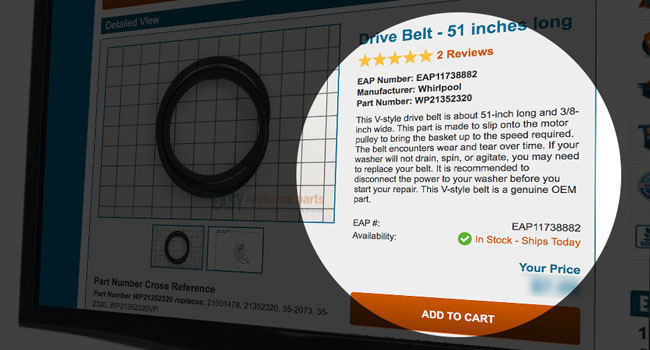
Doing this, will bring you to your shopping cart. Here you can make any changes you like to your cart. You can adjust the quantity, remove items, empty your cart entirely, or continue shopping.
All items are sold individually, unless described as being a set or assembly. When the manufacturer indicates that model requires a certain quantity of items,
(four screws to hold down a panel, for instance) Easy Appliance Parts automatically adds the required quantity to your cart. So, if a panel does require four screws when you click "Add to Cart"
a quantity of 4 is added instead of just one. If you only need one you can update the quantity in your shopping cart.
In other cases you will see a description of an item that includes a number. For example, a stove's control panel parts list may have a listing for "Knob (4)". This means that there are four knobs
on the stove, not that you will receive four. If you need, in that example, all four knobs you should make sure the quantity in your shopping cart is 4.
Adjusting the Quantities of Items in your Cart
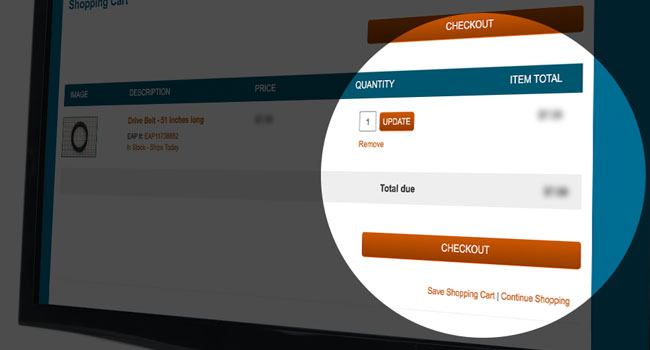
When you arrive at your shopping cart, you can easily adjust the number of items in your cart. For each item in your shopping cart, there is a "quantity" text box to the right of the item.
You can change the number that appears in the text box. If you originally placed only one item in your cart, then decided you would like to have an extra one, you can replace the digit "1"
with a "2". If you do make any changes to the quantity of an item in your cart, you must click the "Update" button for your changes to take effect: the "Item Subtotal" will be then be updated.
Removing Items from your Cart
Removing items from your cart can be done very easily at Easy Appliance Parts. We have placed a "remove" button to the right of the price of the item in your cart. By clicking on the button once,
you will remove the item from your cart entirely.
Emptying your cart entirely
Your cart can be entirely emptied in one of two ways. You can either click on the "remove" button for each item in your cart, or you can place the digit "0" in the quantity text box for each item.
Either of these methods will successfully empty your shopping cart.
Continuing shopping
Once you have placed an item in your cart, and are brought to the shopping cart page, you may continue browsing for more items. Easy Appliance Parts has placed a "continue shopping" button under
the subtotal for your items on the right hand side of the page. All items will remain in your cart while you continue shopping. Click on the continue shopping button to proceed.
Back to help